
Keep reading

The grade 10–12 maths book, on video

Maths, question by question, made clear. 

Mamosta Marwan solves every question in your book on video, step by step, in the Kurdish and English curricula.

Chapter one

A worked example

Given:
A grade 10 student is stuck on question 7 of the chapter 6 review.
Find:
An explanation of that question, right now.

Solution:

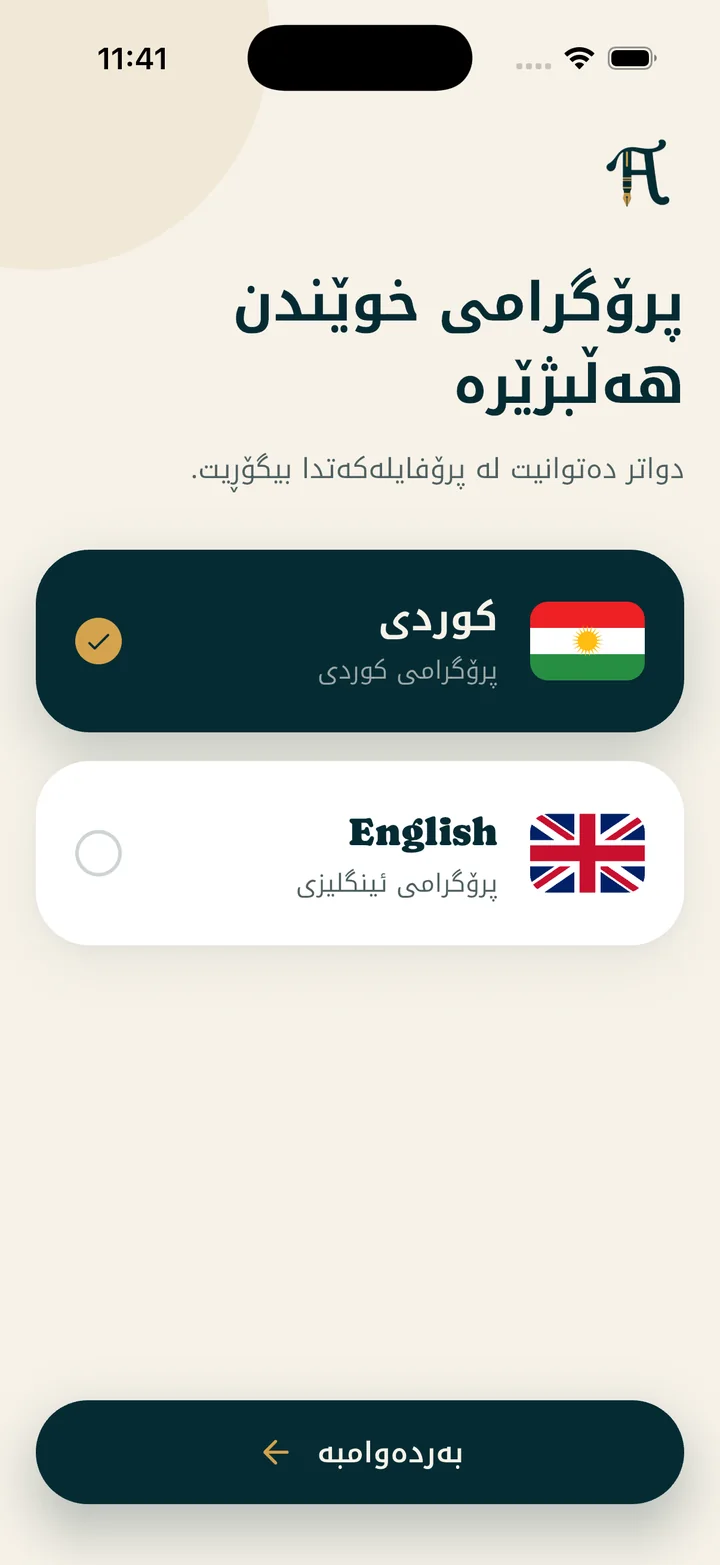
Curriculum=Kurdish
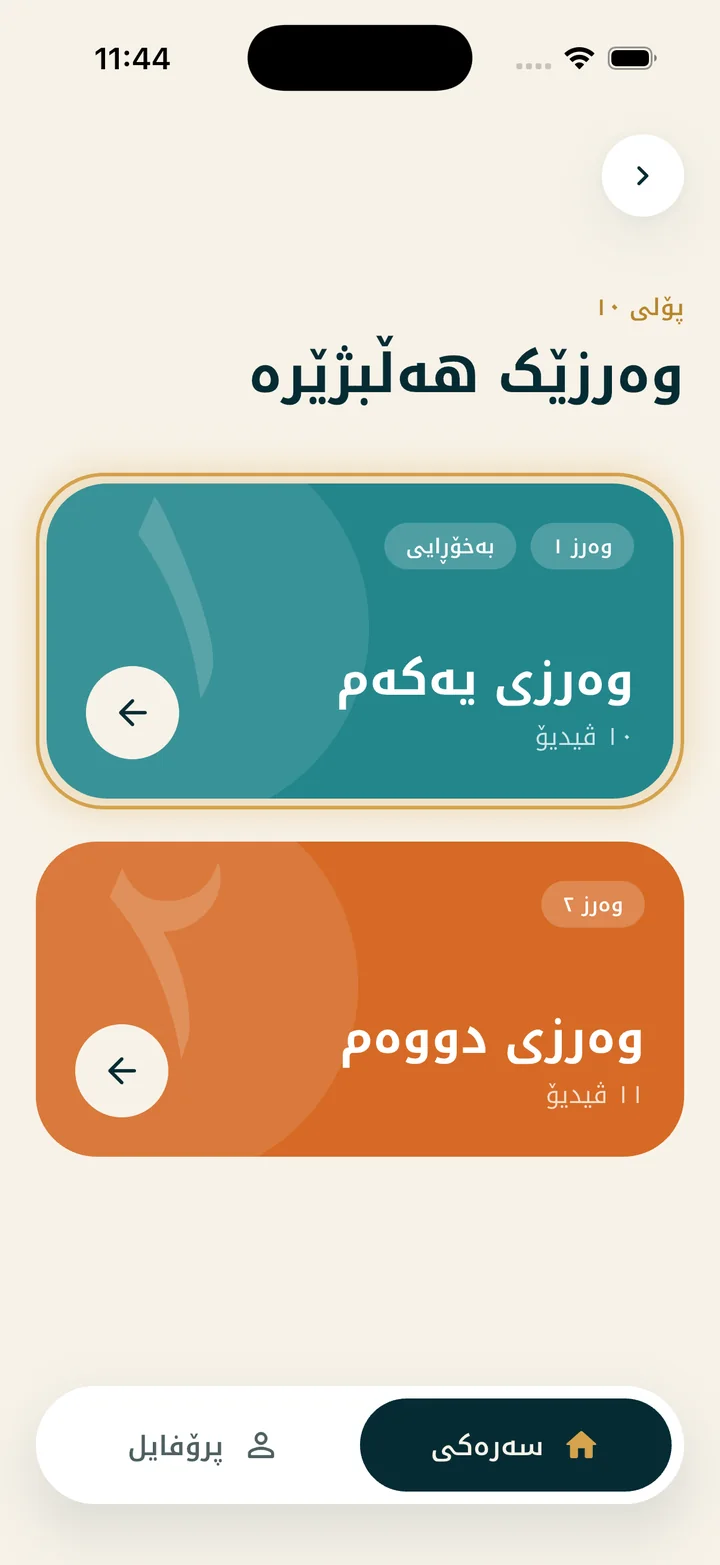
Grade + semester=10 + second semester
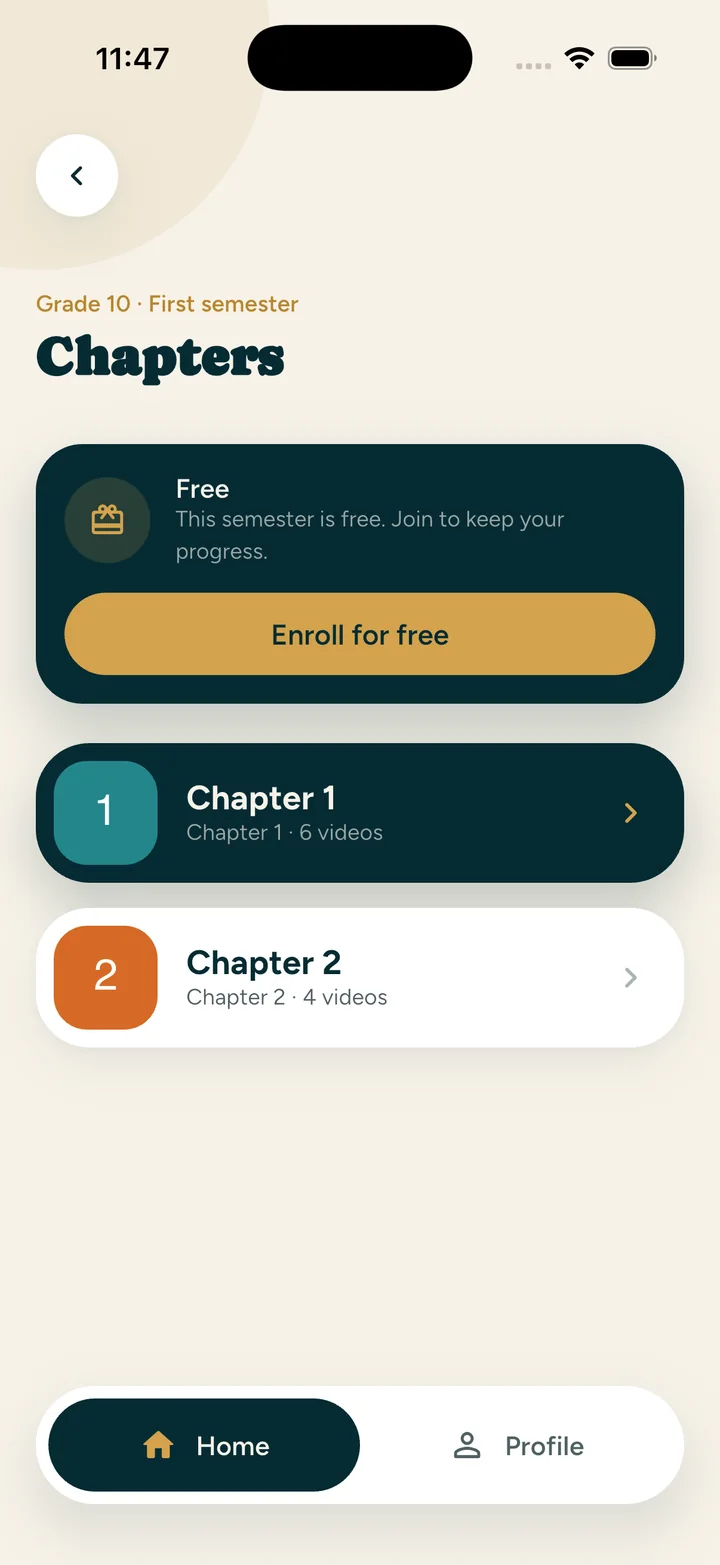
Chapter 6=Review → questions 5–9
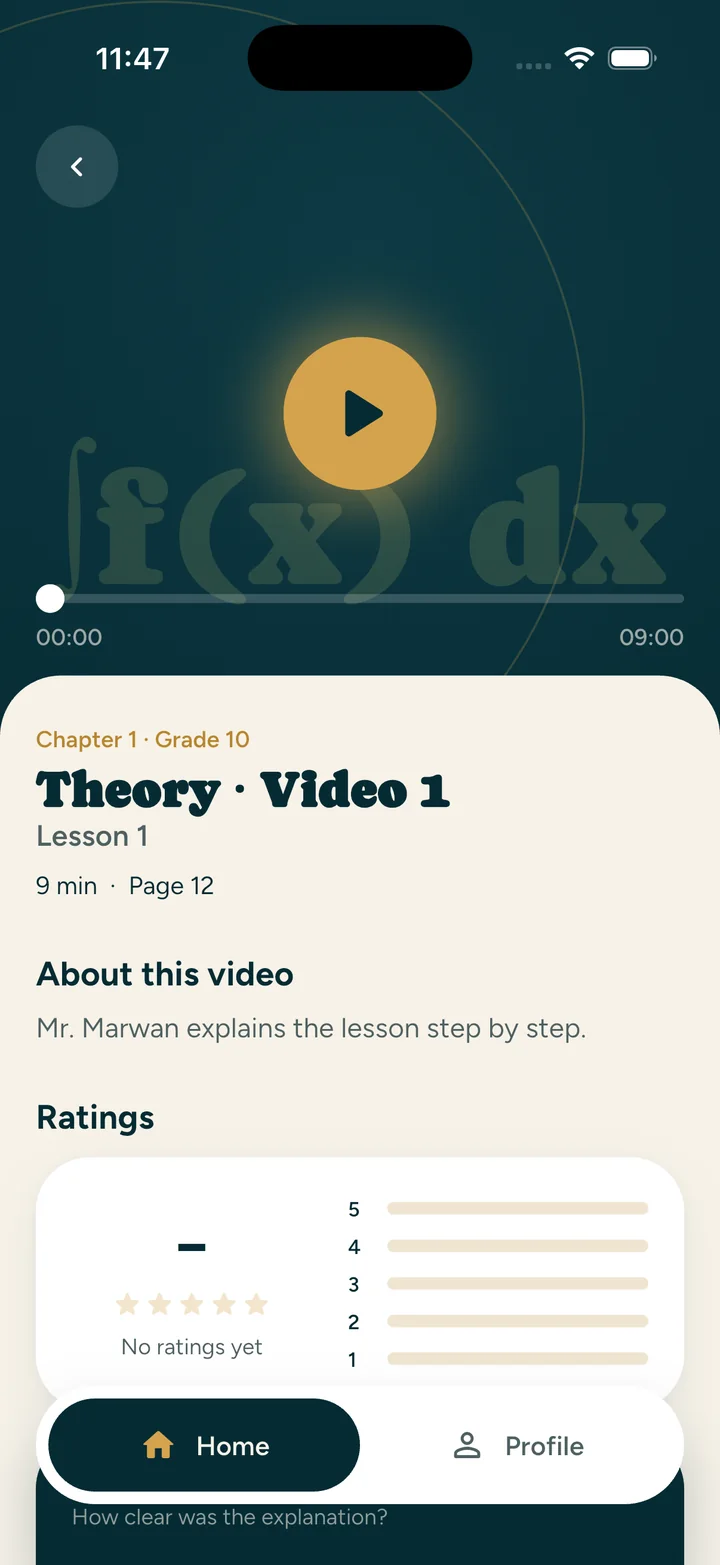
Video=pause, rewind, resume
∴ Answerquestion 7, in your teacher's voice.1

1The video for questions 5–9 of the chapter 6 review, grade 10, second semester, runs 6 min 27 s.

Fig. 1 · Curriculum

Fig. 1 · Curriculum

Fig. 2 · Grade and semester

Fig. 2 · Grade and semester

Fig. 3 · Chapter

Fig. 3 · Chapter

Fig. 4 · Video

Fig. 4 · Video

Chapter two

A short quiz

Name:Student
Grade:10
Time:5 min
Score:10/10
  1. 1.

    Which kinds of video does every chapter have?

    • Theory
    • Test yourself
    • Exercises
    • Review
    • Exam preparation
    (2 marks)
  2. 2.

    True or false: every video says which questions of the book it solves.

    TrueFalse
    (2 marks)
  3. 3.

    The app speaksKurdish,ArabicandEnglish.

    (2 marks)
  4. 4.

    True or false: if you pause a video, you have to watch it again from the start.

    TrueFalseNo! You pick up where you stopped.
    (2 marks)
  5. 5.

    How are the videos protected?

    They reach your phone encrypted; one account, one device.
    (1 mark)
  6. 6.

    What do you do after each video?

    rate it
    (1 mark)
Total:10/10Excellent!

Chapter three

About the teacher

∫f(x) dx
04:1212:30
question by question

Fig. 5 · A lesson in the app

Mamosta Marwan Ahmed

He works through every question on the tablet, step by step, the way he does in class. Pause him, rewind him, and listen as often as you need.

Table 1 · The app in numbers
grades0
curricula0
languages0
kinds of video0

Chapter four

How to subscribe

  1. Download the appHS Math on the App Store or Google Play. The free lessons open straight away.
  2. Create your accountWith your email, in the app or on the subscribe page.
  3. Pay at hsmath.app/payChoose the semester, pay with FIB, FastPay or QiCard and upload the receipt.
  4. WatchOnce we've confirmed the payment, the semester opens in the app by itself.
Subscribe at hsmath.app/payPayments are made on this website only.

The end

Your next exam starts here.

Download HS Math and open your first chapter.